
Choosing LED Display Control Software: Compatibility and Scheduling
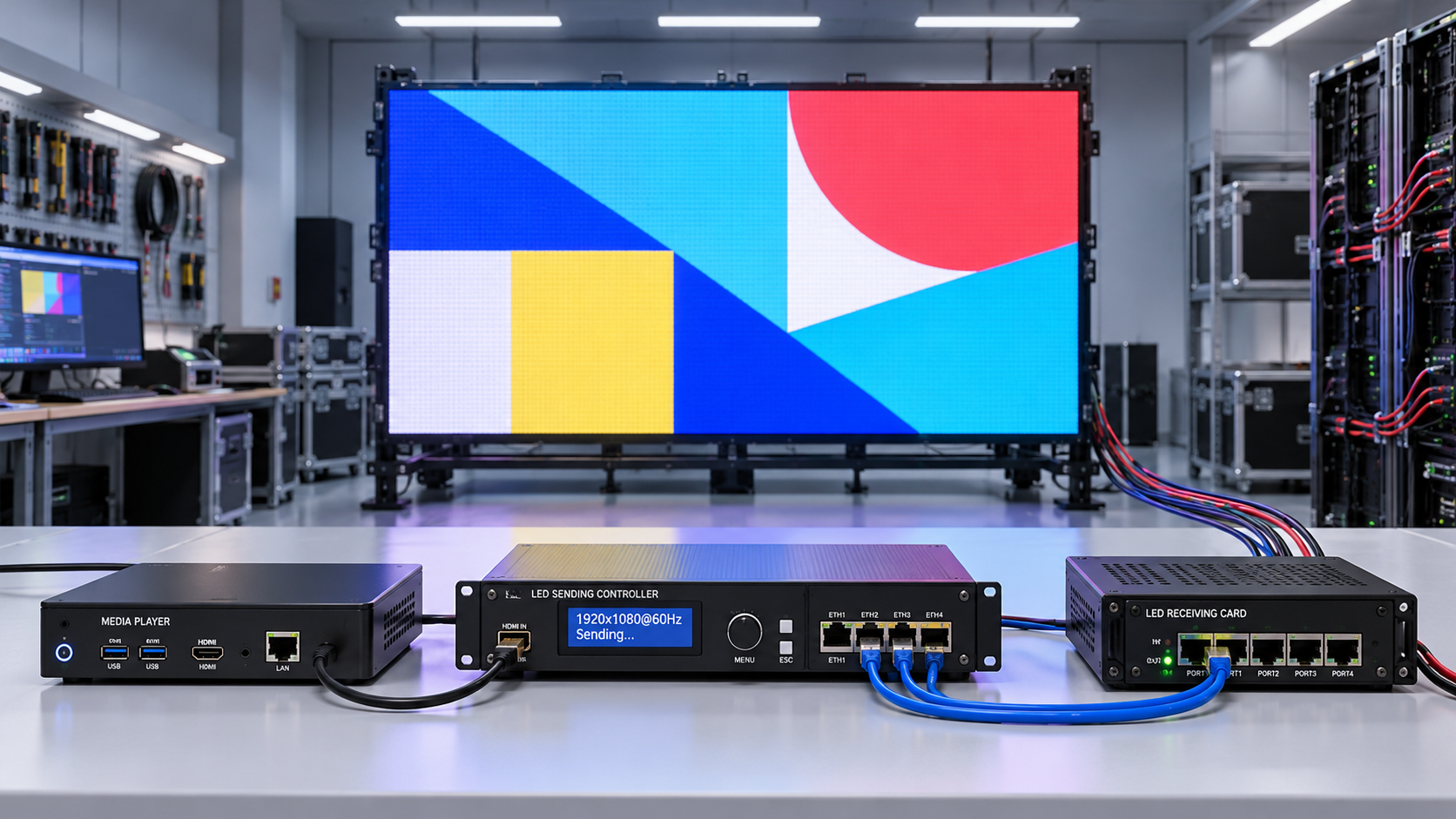
Selecting LED display control systems software requires more than comparing interfaces. Compatibility with controllers, receiving cards, media players, operating systems, and network infrastructure determines deployment reliability.
Scheduling matters equally when content changes across locations, time zones, or advertising slots. The strongest choice is software that proves both integration and operational behavior under realistic conditions.
For technical evaluators, the decisive test is not whether a product lists the right features. It is whether the complete display chain works with your hardware, content, and operating requirements.
Start With the Complete Display Control Chain
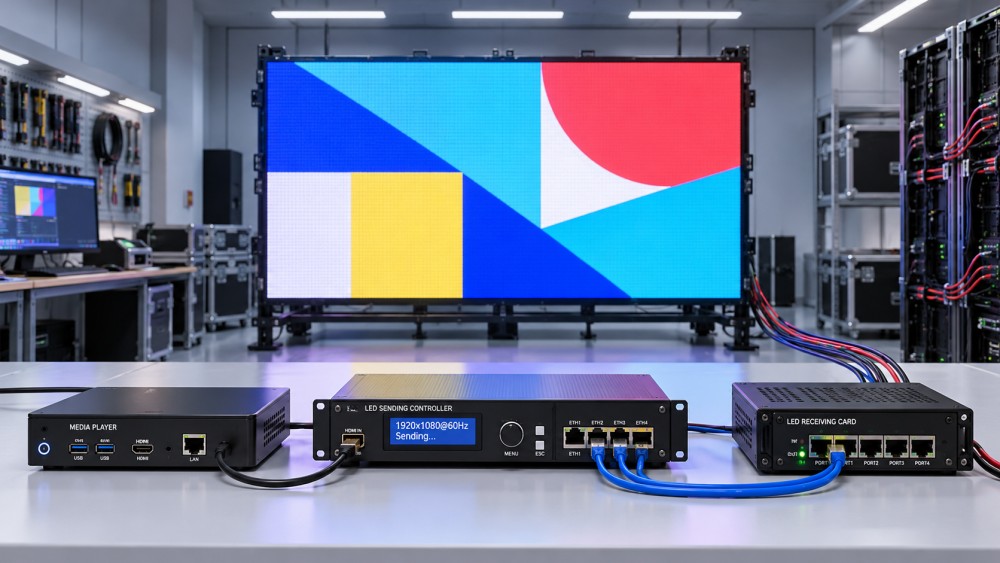
An LED deployment typically combines a content management system, a media player or playback source, a sending controller, receiving cards, and LED modules configured for a specific screen.
These components do different jobs. A content management system organizes and schedules assets, while playback hardware outputs media and LED controllers map that signal to the physical display.
Some suppliers bundle these functions into one platform. Others combine third-party content software with separate players and LED processing hardware, creating more integration points to verify.
Before comparing products, draw the actual signal and management paths. Include cloud services, local servers, player outputs, processors, sending devices, receiving cards, and any monitoring systems.
Record the manufacturer, model, firmware, and connection type for each component. This inventory becomes the basis for meaningful compatibility questions and a repeatable acceptance test.
Also identify which team owns each layer. A software provider may support content scheduling while a controller vendor handles screen mapping, calibration, and hardware diagnostics.
Which Hardware Compatibility Claims Need Proof?
Ask suppliers to confirm support for the exact controller and receiving card models in your inventory, including firmware versions and any required configuration files.
Distinguish native integration from basic video compatibility. A player may output HDMI successfully without giving the software access to controller status, brightness controls, or fault alarms.
Request documentation showing which functions are available for each device. Verify whether configuration, remote monitoring, power control, and firmware updates require separate manufacturer tools.
For existing installations, confirm that replacement software can use the current screen configuration without overwriting calibration or mapping data. Back up all files before testing.
Pay particular attention to mixed-vendor fleets. A platform may manage content across several controller brands while offering detailed hardware monitoring for only one manufacturer.
Ask who maintains integrations and what happens when a hardware vendor changes its firmware or application programming interface. Put support responsibilities and escalation paths in writing.
Finally, test the intended combination on a representative screen. A compatibility list is useful for screening, but it does not establish behavior across every firmware and configuration.
Can the Software Handle Your Screen Geometry and Content?
Resolution support must be evaluated across the entire signal path, not just in the content software. Check player output limits, processor capacity, refresh requirements, and display mapping.
For unusually shaped screens, confirm how the system handles custom canvas sizes, rotated outputs, nonstandard aspect ratios, and content split across multiple sending devices.
Ask whether the player renders one large canvas or synchronizes separate outputs. The answer affects hardware sizing, mapping complexity, and the risks of visible playback misalignment.
Test your actual formats, codecs, frame rates, and color settings. A software specification that says “video supported” does not guarantee reliable playback of every encoded file.
For multi-screen installations, check whether synchronization applies to independent players, multiple outputs on one device, or both. Measure acceptable timing differences during the pilot.
Include demanding material such as motion graphics, high-resolution video, and simultaneous zones. Watch for dropped frames, tearing, incorrect scaling, and audio synchronization problems where audio matters.
Confirm how playlists behave when an asset is missing or corrupt. The system should provide a clear alert and a predictable fallback rather than leaving operators guessing.
How Flexible Is Scheduling in Real Operations?
Scheduling requirements vary by use case. Retail teams may need dayparting and promotions, while DOOH operators may require campaign windows, slot rotation, and playback records.
Map common workflows before requesting demonstrations: recurring opening hours, holiday exceptions, temporary overrides, and campaigns that start or end at specific local times.
Check whether schedules follow the screen location, the user account, or a central server time zone. Test daylight saving transitions and locations that do not observe them.
For distributed networks, verify whether one campaign can use local start times across locations and whether operators can identify each screen’s effective schedule before publishing.
Ask how the software resolves competing rules. Priority, campaign dates, playlist order, and emergency overrides should produce an understandable result when schedules overlap.
Test a conflict deliberately: schedule a regular playlist, a location-specific promotion, and an urgent message for the same period. Confirm which appears and why.
For advertising, distinguish simple playlist rotation from inventory management. Fixed slots, impression estimates, campaign pacing, and guaranteed delivery may require specialized software or external integrations.
Review how the platform handles missed playback after a disruption. Automatic make-goods, manual rescheduling, or no recovery may each be appropriate, but the behavior must be explicit.
Check whether operators can preview schedules, validate missing assets, and roll back a publication. Approval workflows and audit logs become important when multiple teams share access.
What Happens When Connectivity Fails?
Network interruptions are normal enough to include in acceptance testing. Determine which functions require continuous connectivity and which remain available when a player is offline.
Ask whether players cache media and schedules locally, how much storage is available, and how far ahead content must be downloaded for uninterrupted playback.
Disconnect the network during a scheduled change. Verify that the player follows its cached timetable, records the event locally if supported, and resumes synchronization after reconnection.
Test a longer outage that extends beyond cached content or schedule validity. Define the expected fallback, such as a default playlist, static message, or blank output.
Check how the player maintains time when disconnected, including clock drift and restart behavior. Scheduling accuracy depends on reliable timekeeping, not only on calendar settings.
For remote sites, verify whether alerts distinguish an offline player from a failed display controller or a dark screen. These faults may require different response teams.
Does the Platform Fit Your Network and Security Model?
Identify whether the platform is cloud-hosted, on-premises, or hybrid. Evaluate where management data and media are stored, and whether site policies permit those arrangements.
Ask for documented outbound connections, ports, domains, update endpoints, and bandwidth requirements. Confirm whether players can operate behind proxies or on segmented networks.
Estimate bandwidth using actual asset sizes, update frequency, and screen count. A large campaign pushed simultaneously to many sites can affect both connectivity and publication timing.
Look for role-based access, multifactor authentication where available, encrypted communications, and audit logs. Match these controls to your organization’s security and compliance requirements.
Review account provisioning, credential storage, patching, and vendor access. Clarify who can publish content, change device settings, export logs, and administer the platform.
For public-facing screens, define an incident response procedure for unauthorized content. Test how quickly an administrator can revoke access, replace content, and isolate an affected player.
Request the supplier’s vulnerability disclosure and update policies. Also confirm supported operating system versions and the expected process for maintaining players throughout their service life.
How Should You Compare Costs and Vendor Support?
Compare total operating cost over the intended deployment period, not just the initial software price. Licensing structures can change substantially as locations or features increase.
Ask whether fees are charged per screen, player, output, user, or site. Include hosting, storage, support tiers, integrations, training, and replacement hardware where applicable.
Check whether scheduling, proof-of-play reports, application interfaces, or advanced monitoring require additional licenses. Request a written quote for both the pilot and projected fleet.
Separate playback logs from independently verified proof that content appeared visibly on the screen. Confirm what each report measures, how timestamps are generated, and what can be exported.
Evaluate support coverage against operating hours and geography. Document response targets, escalation routes, spare parts responsibilities, and whether hardware and software vendors coordinate during incidents.
Finally, examine exit options. Ask how schedules, asset metadata, user records, and playback logs can be exported, and what remains accessible if the subscription ends.
Run a Practical Evaluation Before Committing
Use a short proof of concept with representative hardware and a written test plan. Include at least one production-like network, screen configuration, and content workload.
Score each candidate against mandatory requirements first: verified hardware compatibility, reliable scheduling, offline behavior, security controls, and support for your required content formats.
Then compare weighted operational factors such as ease of deployment, monitoring depth, reporting, integration effort, and total cost. Record evidence and unresolved limitations for every score.
Require suppliers to demonstrate normal operations and failure recovery. Include overlapping schedules, a player restart, a network outage, a corrupted asset, and a controller alarm.
Set pass criteria before testing, including acceptable recovery time, playback accuracy, synchronization tolerance, and the expected visibility of faults. Assign an owner to verify each result.
The right LED display control systems software is the option that reliably manages your actual display chain and scheduling rules, with risks and support boundaries clearly understood.
A documented pilot turns broad compatibility claims into evidence. It also gives procurement, operations, and engineering teams a shared basis for choosing a platform that can scale.
Related News
- Choosing LED Display Control Software: Compatibility and SchedulingTime : Nov 02, 2026
- Laser Show Production for Events: Planning Venue, Safety and TimingTime : Nov 01, 2026
- Brand Visual Systems in the UAE: Building Consistency Across TouchpointsTime : Oct 30, 2026